Labels make the inbox easier to scan, but the next action is still on you.
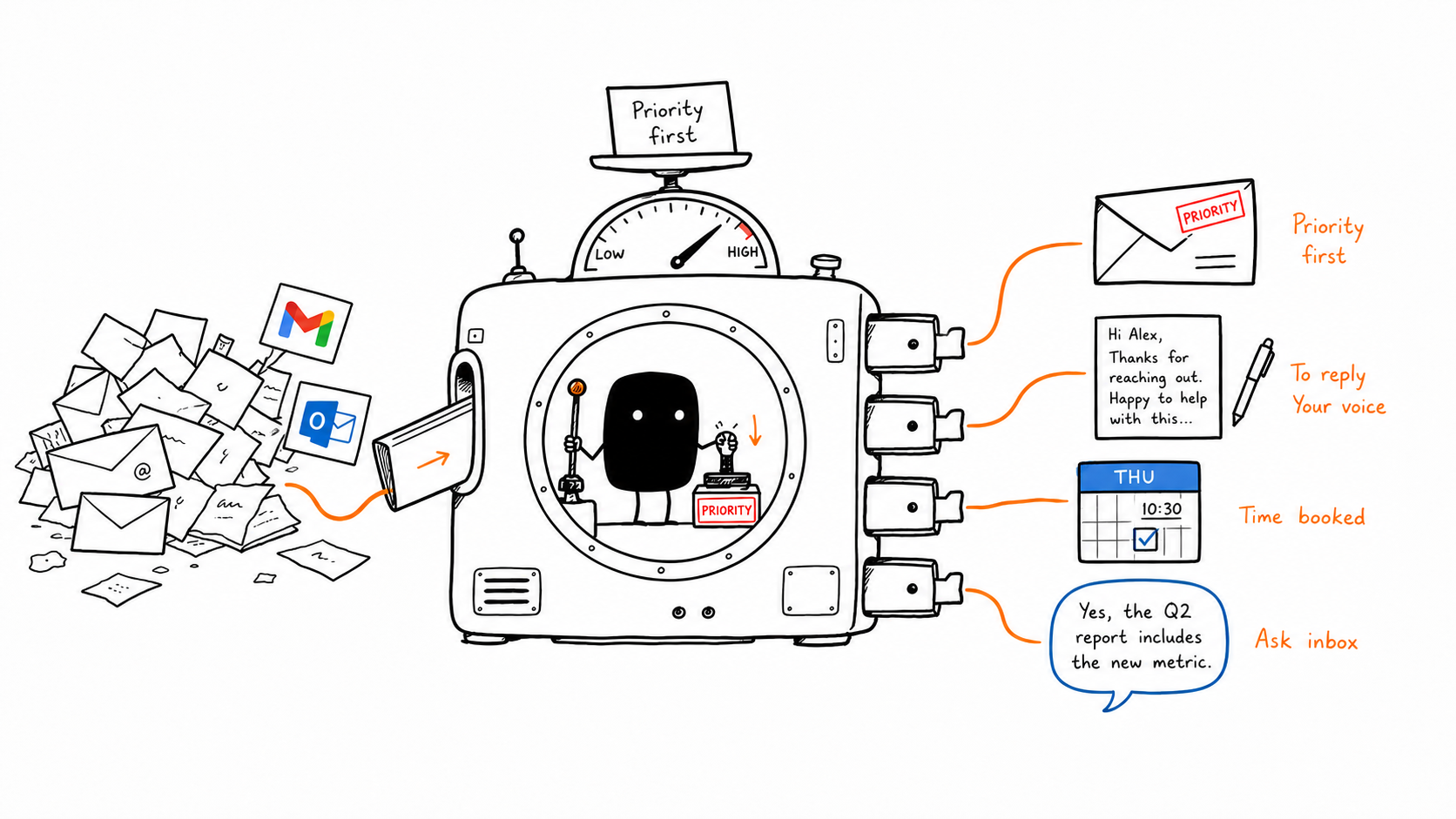
Aya turns each thread into a clear queue: reply, FYI, meeting, or ignore.
 superclerk
 Inbox Agent Aya
Aya works your Gmail and Outlook inbox: it triages what matters, drafts replies in your voice, and answers scheduling threads with your open times and a booking link. You read and approve.

 Works with Gmail & Outlook
Getting started
No rules to write, nothing to configure, and review-first by default, so you approve every send.
After setup
Every new email runs the same loop: sorted, drafted, and ready for your yes.
Aya reads every new email and labels what it needs — a reply, an FYI, or noise. The ones that matter stay on top.
If it needs an answer, Aya writes it in your voice and leaves it ready in your drafts. The rest stays filed.
When it's about a meeting, Aya offers open times from your calendar and a booking link — right in the reply.
Compare
The useful difference is whether the email turns into the next action, or just another draft to manage.
Labels make the inbox easier to scan, but the next action is still on you.
Aya turns each thread into a clear queue: reply, FYI, meeting, or ignore.
A reply appears, then scheduling still happens in a separate tab or tool.
The draft already carries calendar context, open windows, and a booking link.
Automation either feels passive or too eager to send on your behalf.
Sensitive replies stay review-first, with the send decision explicit.
The product stops at email, even when the thread belongs in another system.
The same inbox event can later update CRM, open support context, or request approval.
FAQ
An AI email assistant connects to your mailbox and helps with repetitive inbox work like triage, prioritization, reply drafting, and follow-up. Aya goes further by treating email as the start of a workflow, not the end of one.
Yes. Superclerk has native Gmail and Outlook integrations for mail, calendar, drafts, replies, and inbox-triggered workflows.
Fyxer is a strong AI email assistant for inbox sorting, draft replies, and meeting notes. Aya covers the same ground across Gmail and Outlook — triage, in-your-voice drafts, and scheduling replies with a booking link — and runs as part of the Superclerk platform, so the same setup can extend into other workflows your team builds.
Yes. Aya targets the same search intent as Fyxer: Gmail and Outlook triage, reply drafts in your voice, and scheduling. Aya answers scheduling threads with your open times and a booking link, and runs as an agent inside the Superclerk platform.
Aya can draft, reply, and send through connected mail tools. Your team can keep sensitive replies review-first by making the send step explicit.
Aya is for founders, operators, agencies, sales teams, and customer-facing teams who live in their inbox and lose hours to triage, replies, and back-and-forth scheduling.
Aya works with Gmail and Outlook integrations. Your team can deploy one inbox flow around the provider it uses, then connect the matching calendar around the same workflow.
Aya is built for repeatable inbox work: triage, drafts, and scheduling. Human judgment still belongs in explicit send steps, exceptions, and relationship-sensitive replies.
A couple of minutes. Connect Gmail or Outlook, link your calendar, set your tone and signature, and Aya starts triaging your inbox and drafting the first replies for your review.
The same discipline that governs every agent run — scoped access, approval gates, full audit logs — certified against the standards that matter.

ISO 42001 certified, our AI governance framework gives customers confidence in how we build and run AI.

Fully certified with ISO 27001, the internationally recognized standard for information security management.

We meet SOC 2 requirements to ensure secure, compliant management of data across all of our systems.

We operate under GDPR — the world's strictest standard for data privacy and user consent.

We safeguard protected health information with HIPAA-compliant processes, policies, and technical controls.
Inbox Agent Aya
Aya handles the triage, the replies, and the back-and-forth scheduling you've been doing by hand.